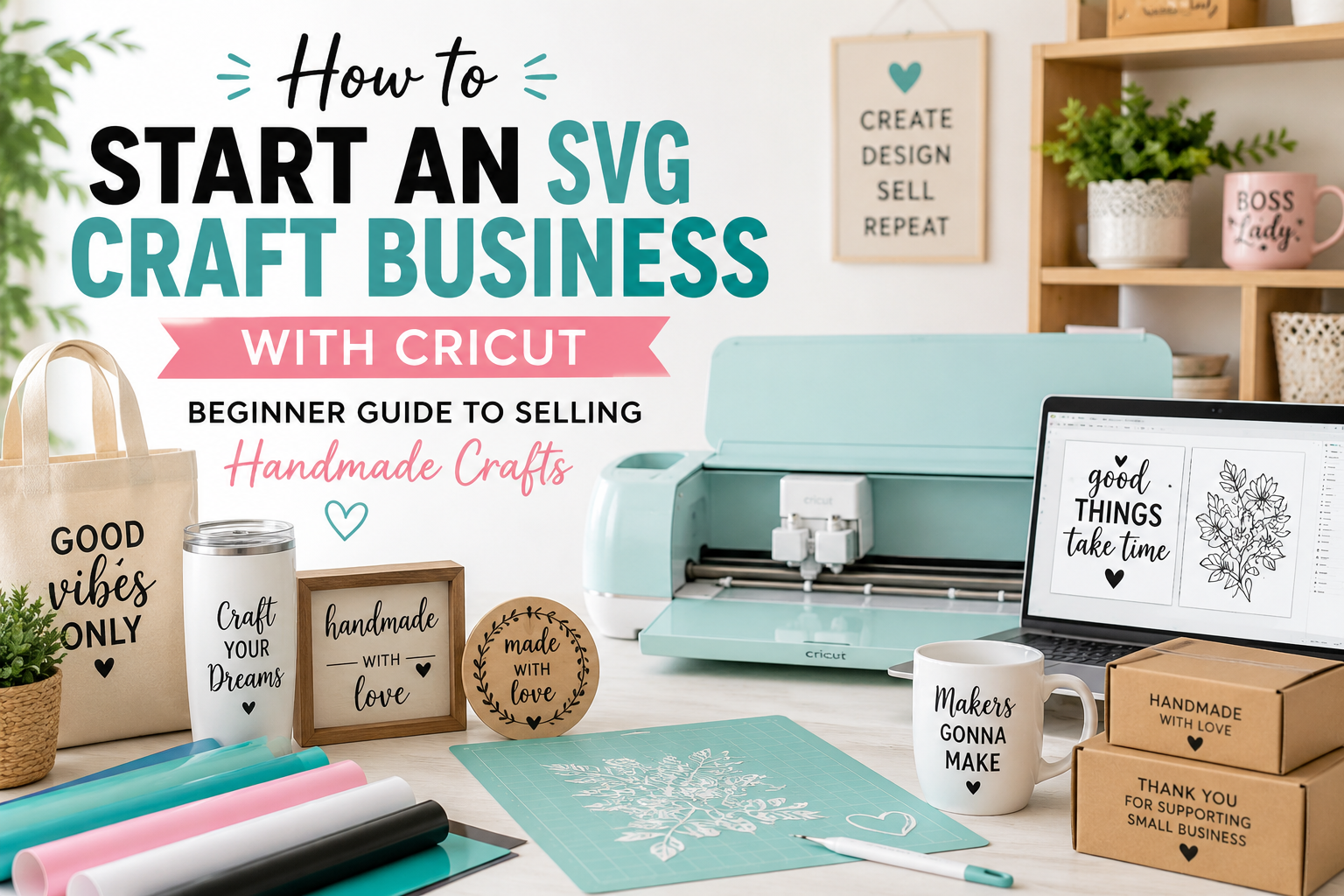
Somewhere between your third batch of custom shirts and the friend who asks “wait, can you make me some too — I’ll pay you,” a hobby quietly turns into a question: could this actually make money? For thousands of crafters, the answer has been yes. A cutting machine, a stack of vinyl, and the right designs are all it takes to turn a spare-room hobby into a real income stream — whether that’s a few hundred dollars a month or a full-time business.
But there’s a gap between making crafts and selling them profitably and legally. The people who succeed aren’t necessarily the most artistic — they’re the ones who pick a smart niche, use designs they’re actually allowed to sell, price their work so they earn a profit instead of just staying busy, and get their products in front of the right buyers. Skip those fundamentals and you end up with a garage full of inventory and nothing to show for it.
This guide walks you through the entire process, start to finish: deciding whether it’s worth it, what you need to begin, choosing a niche, handling the legal and licensing side (the part most beginners get wrong), where to sell, how to price for real profit, and how to market your shop so you actually get sales. Whether you own a brand-new Cricut Joy or a Maker 3, this is your roadmap from hobbyist to business owner.
📋 Table of Contents
- Is a Cricut Craft Business Actually Worth It?
- What You Need to Start a Craft Business
- Step 1: Pick a Profitable Niche
- Step 2: Get the Legal & Licensing Side Right
- Step 3: Source Designs You’re Actually Allowed to Sell
- Step 4: Choose Where to Sell
- Step 5: Price Your Products for Real Profit
- Step 6: Build Your Brand and Set Up Shop
- Step 7: Market Your Shop and Get Your First Sales
- 8 Common Mistakes New Craft Sellers Make
- How to Scale from Side Hustle to Real Income
- Frequently Asked Questions
Is a Cricut Craft Business Actually Worth It?
Let’s be honest about this before you invest a single dollar. A craft business is a real business — not a passive income scheme. You’ll spend time cutting, weeding, pressing, packing, answering messages, and marketing. That said, the numbers work in your favor more than in almost any other product business, for three reasons.
The startup cost is unusually low
A basic setup — a cutting machine, a heat press or EasyPress, and a starter stash of materials — can be under a few hundred dollars, and many people already own most of it. Compare that to almost any other physical-product business and it’s a rounding error. You can start on the machine you already have.
The profit margins are healthy
A blank t-shirt and a bit of vinyl might cost you five to seven dollars in materials. A finished custom shirt sells for twenty to thirty. Even after your time and marketplace fees, the margin on personalized crafts is strong — because people pay for the personalization, not the raw materials.
Demand is real and evergreen
Custom shirts, tumblers, signs, and gifts sell year-round, with big spikes around holidays, weddings, graduations, and back-to-school. People will always want personalized things for birthdays, teams, family reunions, and small businesses.
What You Need to Start a Craft Business
You do not need everything on this list on day one. Start lean, sell a few products, then reinvest your profit into better equipment. Here’s the full picture so you know what you’re working toward.
🛒 Craft Business Starter Kit
- A cutting machine — any current Cricut (Joy, Joy Xtra, Explore, or Maker) or a Silhouette works. Bigger machines cut wider designs, but a Joy is enough to start.
- A heat press or EasyPress — for shirts, tote bags, and most apparel. A household iron works to test the waters, but a press gives far more consistent, sellable results.
- Core materials — iron-on vinyl (HTV), adhesive vinyl, blank shirts, tumblers, and transfer tape. Buy small quantities until you know your best sellers.
- Design software — Cricut Design Space or Silhouette Studio (both free with the machine).
- Commercial-use SVG designs — the files you’ll actually build products from. These must come with a commercial license (more on this below).
- Basic weeding and finishing tools — weeding tool, brayer, lint roller, scraper.
- Packaging — mailers, thank-you cards, and labels for a professional unboxing.
- A workspace — even a corner of a desk. Consistency beats square footage.
- Simple business tools — a way to track income and expenses (a spreadsheet is fine to start) and a separate space or account for business money.
Step 1: Pick a Profitable Niche
The single biggest mistake new sellers make is trying to sell “everything to everyone.” A focused niche is easier to market, easier to rank in search, and builds a repeat audience. When someone thinks “I need a custom sorority gift” or “I want a funny dog-mom shirt,” you want to be the shop they remember.
A good niche has three things: steady demand, buyers who are happy to pay for personalization, and designs you can legally produce. Here are some of the most reliable, evergreen niches — all of them built on original, sellable designs rather than risky branded content.
| Niche | Why It Sells | Best Products |
|---|---|---|
| Greek life (sorority/fraternity) | Passionate, repeat buyers; bid day, big/little, graduation, and chapter events all year | Shirts, tumblers, jackets, gifts |
| Pet & animal lovers | Huge, emotional audience; “dog mom” and pet-memorial gifts sell constantly | Shirts, mugs, decals, ornaments |
| Seasonal & holiday | Predictable spikes you can plan for — Halloween, Christmas, Valentine’s, and more | Shirts, ornaments, signs, gift sets |
| Family & occasions | Weddings, reunions, new babies, birthdays — always in demand | Matching shirts, signs, favors |
| Teachers & professions | Nurses, teachers, coaches — profession-pride gifts are reliable sellers | Shirts, tumblers, tote bags |
| Funny quotes & hobbies | Low-cost, text-based, easy to produce and ship; strong impulse buys | Shirts, mugs, stickers |
You don’t have to pick only one forever — but pick one to start. Master its products, designs, and marketing, then expand into an adjacent niche once you have momentum. If you’re leaning toward a proven, high-demand category, browse ready-to-cut collections like Greek life, animals, and seasonal designs to see what’s already popular.
Step 2: Get the Legal & Licensing Side Right
This is the section beginners skip and later regret. Getting it right protects your business — and it’s simpler than it sounds once you understand two separate ideas: the license on your designs and the basics of registering your business.
Design licensing: what you can and can’t sell
When you download an SVG, you’re buying the right to use it under a specific license — not ownership of the artwork. There are two license types that matter:
- Personal use — you can make items for yourself and gifts, but you cannot sell products made with the file.
- Commercial use — you’re permitted to sell physical products made with the design (often with limits, like no reselling the file itself).
If you’re building a business, every design you use to make products for sale needs a genuine commercial-use license. Most free files scattered around the internet are personal-use only, which is exactly why relying on random free downloads is risky once money is involved. Our full breakdown of SVG commercial licensing covers the details worth reading before your first sale.
A commercial license from a designer only covers their original artwork. It does not give you the right to sell products featuring someone else’s trademark or copyright — and that’s true no matter where you got the file or what the seller claims. That means logos (Nike, Adidas, Disney, brand names), licensed characters (Marvel, cartoons, movies), sports team marks, and band/artist logos are off-limits for resale unless you hold a license directly from the rights holder. Selling them can lead to takedowns, shop bans, and statutory copyright damages that run from hundreds to tens of thousands of dollars per infringement. The safe rule: sell original designs — quotes, themes, animals, holidays, hobbies, occasions — not other companies’ brands.
Registering your business (the basics)
Requirements vary by country, state, and city, so treat this as an orientation, not legal advice — confirm the specifics for your location and consider a quick consult with an accountant.
- Choose a business structure. Many crafters start as a sole proprietor for simplicity; some later form an LLC for liability protection. An accountant can tell you what makes sense for your situation.
- Handle sales tax. Many marketplaces collect and remit sales tax for you, but you may still need to register locally. Check your state/country rules.
- Keep business money separate. A dedicated account (or at minimum a separate ledger) makes taxes far easier and keeps your numbers honest.
- Track income and expenses from day one. Materials, machine, software, fees — keep the receipts. Good records save money at tax time.
Step 3: Source Designs You’re Actually Allowed to Sell
Your designs are the engine of your business. Great designs cut cleanly, weed easily, and — most importantly — come with a clear commercial license so you can sell without worry. Cheap or “free” files often cut poorly, waste materials, and come with murky licensing that puts your shop at risk.
For a business, look for designs that are:
- Commercial-use licensed — you’re cleared to sell the finished products.
- Multi-format — SVG for cutting, plus PNG, DXF, EPS, and PDF for flexibility across projects and machines.
- Properly layered and tested — colors separated for multi-color vinyl, clean paths that cut right the first time.
- Original artwork — themes, quotes, and illustrations you’re free to sell, not third-party brands.
🎨 Designs You Can Sell — With Commercial Licenses Included
Every PickSVG design comes in 5 formats (SVG, PNG, EPS, DXF, PDF) with a commercial-use license — so you can build products and sell them with confidence. Stock your shop with proven, ready-to-cut originals.
Browse Commercial-Use SVGs →Bundles are a smart move for a growing business — you get a coordinated set of designs at a lower per-file cost, which makes it easy to launch a whole product line at once. Explore design bundles to build out a niche quickly, and if you want something no one else is selling, a custom vector design gives your shop a signature look. Just getting started and want to practice first? Grab a few free SVG files to test your workflow before you commit.
Step 4: Choose Where to Sell
Where you sell shapes how much marketing you’ll do, what you’ll pay in fees, and how much control you have over your brand. Most sellers start on one channel, get good at it, then add others. Here’s an honest comparison of the main options.
| Channel | Best For | Upfront Cost | Effort to Get Traffic |
|---|---|---|---|
| Etsy | Beginners — built-in shoppers already searching to buy | Low (pay per listing + fees) | Low–Medium |
| Your own store (Shopify, etc.) | Building a real brand with full control | Monthly subscription | High (you drive all traffic) |
| Print-on-demand | No inventory, no pressing — a partner prints and ships | Low (pay per product sold) | Medium |
| Local craft fairs & markets | Fast cash, real feedback, community | Booth/table fee | Medium (in-person) |
| Social selling (Instagram/Facebook/TikTok) | Sellers who already have or enjoy building an audience | Low | Medium–High |
A word on marketplace fees
Every marketplace takes a cut, and it’s essential to know the exact numbers before you set prices. As of 2026, for example, Etsy charges a $0.20 listing fee per item, a 6.5% transaction fee on the total the buyer pays (including shipping), and — in the US — a payment-processing fee of 3% plus $0.25 per order, with optional advertising fees on top. That works out to roughly a 10–15% effective cut before ads. Fees change, so always confirm the current rates on the platform’s official fee page (such as the Etsy fee schedule) and build them into your pricing.
Step 5: Price Your Products for Real Profit
This is where good crafters quietly go out of business. They price by “what feels fair” or by copying the cheapest competitor, forget to pay themselves for their time, and ignore fees. The result is a shop that’s busy but barely breaks even. Price with a formula instead.
The Craft Pricing Formula
Price = (Materials + Labor + Overhead) + Profit Margin + Marketplace Fees
Here’s each piece, with a real example for a custom vinyl t-shirt:
- Materials — everything consumed to make one item. Blank shirt ($4.00) + HTV ($1.00) + your amortized design cost ($0.30) = $5.30.
- Labor — pay yourself. If a shirt takes 20 minutes and you value your time at $15/hour, that’s $5.00.
- Overhead — a small share of machine, software, electricity, and packaging spread across each item, say $1.00.
- Base cost — add those up: $5.30 + $5.00 + $1.00 = $11.30. This is what the item truly costs you to make.
- Profit margin — mark it up so the business earns, not just breaks even. Doubling your base cost is a common starting point, which points to roughly $22–24.
- Marketplace fees — add the platform’s cut (10–15% on Etsy) on top so fees come out of margin, not your profit. That lands a healthy retail price near $25–28.
Once you have your formula, create simple price tiers (for example, single-color vs. multi-color designs, or standard vs. rush orders) so quoting stays fast and consistent as orders roll in.
Step 6: Build Your Brand and Set Up Shop
Your brand is what makes a customer choose you over the hundred other shops selling similar items — and what brings them back. It doesn’t require a professional designer or a big budget. It requires consistency.
The essentials of a simple, strong brand
- A memorable shop name — easy to spell, easy to remember, and not already taken on your chosen platform.
- A simple logo and color palette — used consistently across your shop banner, packaging, and social profiles.
- Clear, keyword-rich product listings — titles and descriptions that say exactly what the item is, who it’s for, and how it’s made.
- Great product photos — bright, clean, and showing the item in real use. Photos sell the product more than any other single factor.
- A consistent unboxing experience — even a thank-you card and tidy packaging make customers remember (and recommend) you.
Step 7: Market Your Shop and Get Your First Sales
You can make the best products in the world and still sell nothing if no one sees them. Marketing is what turns a quiet shop into a growing business. The good news: for craft sellers, the most effective channels are free or nearly free.
Pinterest — the craft seller’s secret weapon
Pinterest behaves more like a visual search engine than a social network, and it’s where a huge share of craft and gift shoppers actively look for ideas to buy. Pin your products with tall, attractive images and keyword-rich descriptions, and those pins can drive traffic for months or even years. For most craft shops, Pinterest delivers more consistent sales than any other social platform.
Instagram, Facebook, and TikTok
Short videos of your process — weeding a design, pressing a shirt, revealing a finished tumbler — perform remarkably well because people love watching things get made. Post consistently, show your work in progress, and make it easy to buy.
Search (SEO) and email
Optimize your product titles and descriptions for the terms buyers actually type. And collect emails from customers so you can announce new designs and seasonal launches — repeat buyers are the most profitable customers you’ll ever have.
8 Common Mistakes New Craft Sellers Make
1. Using Designs They’re Not Licensed to Sell
Building products from personal-use files or trademarked logos is the fastest way to lose a shop. Fix: use only original, commercial-use designs.
2. Forgetting to Pay Themselves for Labor
Pricing that only covers materials means working for free. Fix: always include your time in the price.
3. Ignoring Marketplace Fees
Fees can quietly eat 10–15% of every sale. Fix: build them into your pricing from the start.
4. Trying to Sell Everything to Everyone
An unfocused shop is hard to market and forgettable. Fix: start with one clear niche.
5. Underinvesting in Product Photos
Dark, cluttered photos kill conversions. Fix: shoot in bright light on a clean background, showing the item in use.
6. Skipping Test Cuts and Quality Control
Shipping a shirt that peels after one wash earns bad reviews. Fix: nail your pressing and durability before you sell — our t-shirt guide and tumbler guide cover the durability details.
7. Giving Up Before the Marketing Compounds
Most shops are quiet at first. Fix: commit to consistent marketing for a few months before judging results.
8. Mixing Business and Personal Finances
It makes taxes a nightmare and hides whether you’re actually profitable. Fix: separate your money and track it from day one.
How to Scale from Side Hustle to Real Income
Once you’re making steady sales, growth comes from working smarter, not just longer hours. Here’s the path most successful sellers follow.
- Systematize production. Batch your cutting, weeding, and pressing. Making ten shirts at once is far faster per shirt than making one at a time.
- Expand your product line. Add complementary products in the same niche — a customer buying a shirt may also want a matching tumbler or tote.
- Build seasonal launches. Plan holiday and event collections in advance so you’re ready to sell when demand spikes, not scrambling. Our personalized gift ideas guide is a good source of seasonal product angles.
- Consider print-on-demand for some items. Offloading printing and shipping frees your time for design and marketing, and lets you test products with zero inventory.
- Reinvest profit. A faster machine, better press, or bulk materials lower your per-item cost and raise your margins as volume grows.
- Turn buyers into repeat customers. Email lists, loyalty perks, and new-design announcements turn one-time sales into a dependable income base.
🚀 Ready to Stock Your Shop?
Launch a whole product line at once with coordinated design bundles — all with commercial-use licenses and five file formats included. Everything you need to start selling, ready to download and cut.
Explore Design Bundles →Frequently Asked Questions
How much does it cost to start a Cricut craft business?
You can start for under a few hundred dollars — often less if you already own a cutting machine. The core costs are a Cricut or Silhouette machine, a heat press or EasyPress, a starter stash of vinyl and blanks, and commercial-use designs. The smartest approach is to start lean with what you have, sell a few products, and reinvest that profit into better equipment and more inventory rather than buying everything upfront.
Can I sell products I make with SVG files I bought?
Yes — as long as the file comes with a commercial-use license. A commercial license lets you sell the physical products you make with the design (though you usually can’t resell or give away the file itself). Personal-use files, by contrast, can only be used for your own items and gifts. Always check the license before using any design in your shop. Every design from PickSVG includes a commercial-use license for exactly this reason.
Can I sell Disney, Nike, or sports team designs if I bought the SVG?
No. A license from a designer only covers their original artwork — it does not grant rights to a third party’s trademark or copyright. Logos, licensed characters, brand names, and sports team marks belong to their owners, and selling products featuring them is infringement no matter where you got the file or what license the seller claims. This can lead to shop bans and serious legal penalties. To stay safe, build your business on original designs — quotes, themes, animals, holidays, hobbies, and occasions.
How much money can you make with a Cricut business?
It ranges widely — from a few hundred dollars a month as a side hustle to a full-time income, depending on your niche, pricing, and marketing consistency. Because startup costs are low and margins on personalized products are healthy, the ceiling is set more by how much you sell than by how much you spend. The sellers who earn the most treat it as a real business: they price for profit, focus on a niche, and market consistently.
Do I need a business license to sell Cricut crafts?
It depends on where you live — requirements vary by country, state, and city. Many crafters start as a sole proprietor and formalize as they grow, but some areas require a local business license or sales-tax registration even for small sellers. Marketplaces often collect sales tax on your behalf, but that doesn’t cover every obligation. Check your local rules and consider a short consultation with an accountant. This article is general guidance, not legal or tax advice.
What sells best for a Cricut craft business?
Custom t-shirts, tumblers, mugs, signs, and personalized gifts are consistent best sellers because buyers pay a premium for personalization. Within those products, focused niches perform best — Greek life, pet and animal lovers, seasonal and holiday themes, teachers and professions, and funny quote designs all have passionate, repeat-buying audiences. The winning combination is a popular product in a specific niche, made from original designs you’re licensed to sell.
Etsy or your own website — which is better for a new craft business?
For most beginners, Etsy is the better starting point because it already has millions of shoppers searching to buy, so you spend less effort driving traffic. The trade-off is per-sale fees and less control over your brand. Your own store (on a platform like Shopify) gives you higher margins and full brand control, but you’re responsible for bringing in every visitor. A common path is to start on Etsy to build sales and reviews, then add your own store as your brand grows.
Do I have to credit the designer of an SVG I sell products with?
It depends on the license. Some free files require attribution (crediting the designer), which is awkward for a professional product. Most premium commercial licenses do not require attribution, which is one reason they’re better suited to a business. Always read the specific license terms — but choosing no-attribution commercial files, like those from PickSVG, keeps things simple and professional.
Your First Step Starts Today
Starting an SVG craft business isn’t about being the most talented crafter in the room — it’s about doing the fundamentals right. Pick a focused niche. Use designs you’re actually licensed to sell. Price so you earn a profit instead of just staying busy. Get your products in front of buyers where they’re already shopping. Do those four things consistently, and a spare-room hobby can genuinely become a business you’re proud of.
The path is simple to remember: choose a niche → source legal, commercial-use designs → set up shop → price for profit → market consistently → reinvest and scale. You don’t have to do all of it this week. You just have to start.
The best first move? Get your designs sorted so you have quality, sellable products ready to list. Browse PickSVG’s commercial-use SVG collections — every file includes a commercial license and all five formats, so you can build products and sell them with total confidence. Your shop is closer than you think.
Now go turn that hobby into a business. 🚀