
Download
Checkout
License
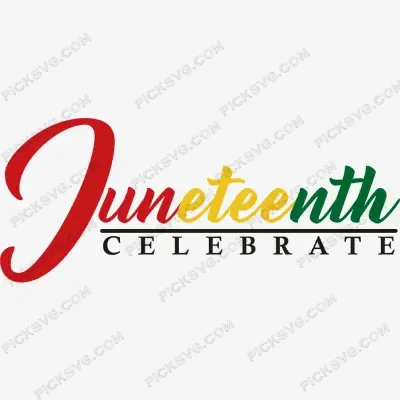
Juneteenth Freedom Emancipation Awareness Equality Independence SVG, DXF, PDF, EPS, PNG
Quantity Discounts
| Quantity* | Price |
| 2 - 5 | $2.42 |
| 6 - 10 | $2.34 |
| 11 - 19 | $2.19 |
| 20 - 34 | $2.09 |
| 35 + | $1.87 |
*Quantity refers to discounted items (products with discount) individual count on cart.
Overview
Juneteenth Freedom Emancipation Awareness Equality Independence SVG — Complete Multi-Format Bundle
Juneteenth Freedom Awareness Independence SVG DXF PNG delivers the five core values of June 19th — Freedom, Emancipation, Awareness, Equality, and Independence — in a complete multi-format bundle explicitly built for crafters and sellers who need every file type in a single download, with no additional purchases or format conversions required. The explicit format listing in this product’s identity — SVG, DXF, PDF, EPS, PNG — speaks directly to a specific buyer behavior in the craft marketplace: format-aware sellers who know from experience that different stages of their production workflow require different file types, and who want to verify upfront that a single purchase covers their entire toolchain before committing.
The five-value Juneteenth word composition — Freedom, Emancipation, Awareness, Equality, Independence — is one of the most commercially balanced typographic arrangements in the Juneteenth design catalog. Each word occupies a distinct conceptual register that collectively covers the historical, political, personal, and aspirational dimensions of the holiday: Emancipation anchors the design in the legal act, Freedom speaks to the lived experience it created, Awareness acknowledges the ongoing educational work, Equality names the unfinished promise, and Independence connects June 19th to the American national narrative. That conceptual range is what makes this word composition appeal to a wider buyer spectrum — from individuals celebrating personally to institutions marking the holiday in an educational or civic context.
For sellers managing a diverse production operation, having the complete format bundle from a single source file purchase is a genuine workflow advantage. The SVG goes directly into Cricut Design Space or Silhouette Studio. The DXF opens in CNC routing software and older Silhouette versions without conversion. The EPS imports into Adobe Illustrator and CorelDraw for print shop and embroidery digitizing workflows. The PNG is immediately ready for DTF, sublimation, and POD. The PDF provides a reference print for client approvals and physical file storage. One purchase, every use case covered.
Juneteenth Freedom Awareness Independence SVG — Machine Compatibility & Cutting Notes
The five-value typographic layout cuts with clean, consistent letterform separation on a Cricut Maker 3 at standard apparel chest graphic sizes, where the multiple word lines benefit from the Maker’s precision blade for tight inter-line spacing management. For high-volume production runs of community event shirts, the Silhouette Cameo 4 processes the design efficiently across multiple garment sizes in a single session using the DXF format’s precise path geometry. The Cricut Explore Air 2 handles single-color flat applications for vinyl decals and stickers efficiently from the clean SVG paths. The DXF format provides accurate CNC input for wooden commemorative sign production and laser engraving on acrylic and wood keepsake pieces.
The high-resolution PNG renders the five-value composition at print quality on white sublimation blanks and in DTF production workflows, where the clean transparent background composites without any edge artifacts against Pan-African color backgrounds or photographic design elements.
Included File Formats
Your ZIP download includes 5 formats: SVG for cutting machines, PNG with transparent background for sublimation and PLT printing, EPS for Adobe Illustrator, CorelDraw and Inkscape, DXF for CNC and Silhouette users, and PDF for reference on any device.
Project Ideas for Juneteenth Freedom Awareness Independence SVG
Community event T-shirts cut in single-color HTV are the anchor apparel application — a clean five-value design on black or red reads as substantive and intentional at any Juneteenth gathering. Sublimated tumblers using the PNG in a label-wrap format are a strong Juneteenth gift product with broad buyer appeal across the celebration, commemoration, and gifting motivations. Educational classroom posters printed from the high-resolution PNG serve school and community center Juneteenth programming from February through June. CNC-routed wooden commemorative signs using the DXF paths make premium institutional décor for community organizations. Print-on-demand catalog SKUs built from the PNG — tote bags, mugs, notebooks — create passive income inventory that requires no physical production overhead.
More Juneteenth & Holiday SVG Designs
Browse the full Holidays and Celebrations SVG collection for more Juneteenth and cultural holiday cut files. Need a custom Juneteenth word-art design, event graphic, or multi-format organizational artwork? Our Custom Vector Design service creates it. For any questions, contact our support team.
This is an instant digital download — no physical item is shipped. Commercial license included for Etsy and small business use.
Formats & machine compatibility
| Format | Best for | Opens in |
|---|---|---|
| SVG | Cutting vinyl, HTV, cardstock | Cricut Design Space, Silhouette Designer Edition |
| PNG | Sublimation, print-then-cut | Any printer software · 300 DPI, transparent |
| DXF | Silhouette Basic, CNC routing | Silhouette Studio Basic, Fusion, VCarve |
| EPS | Editing, recolouring, resizing | Illustrator, Inkscape, CorelDRAW, Affinity |
| Reference, proofing, print | Any PDF reader or print shop |
- Cricut Maker 3, Maker, Explore, Joy
- Silhouette Cameo 4 & 5, Portrait — use DXF on Basic edition
- Brother ScanNCut SDX & DX
- Laser Glowforge, xTool, diode lasers
How to use these files
STEP 1
Unzip on a computer
Design Space needs unzipped files, so extract the ZIP on a desktop or laptop rather than a phone.
STEP 2
Upload the right format
In Design Space: Upload → Upload Image → select the SVG. On Silhouette Basic, import the DXF instead.
STEP 3
Size, then cut
Size to your blank before cutting. For sublimation, skip the SVG and print the PNG at 300 DPI.
Full walkthrough with screenshots: how to upload an SVG to Cricut Design Space.
License summary
- Personal projects — unlimited
- Sell finished physical items: shirts, tumblers, decals, signs
- Sell on Etsy, at markets, or in your own shop
- Resell, share or redistribute the digital files
- Print-on-demand services without written permission
Reviews
Only logged in customers who have purchased this product may leave a review.
You May Also Like


Reviews
There are no reviews yet.