

Download
Checkout
License
Tag Svg
Quantity Discounts
| Quantity* | Price |
| 2 - 5 | $1.93 |
| 6 - 10 | $1.87 |
| 11 - 19 | $1.75 |
| 20 - 34 | $1.67 |
| 35 + | $1.49 |
*Quantity refers to discounted items (products with discount) individual count on cart.
Overview
Tag SVG – Bookmark Tag Cut File for Cricut & Silhouette
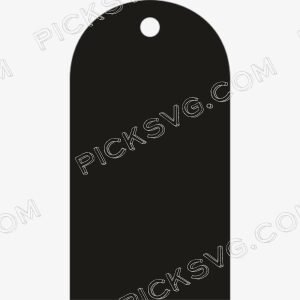
Tag SVG presents a tall, narrow tag silhouette optimized for bookmark and elongated label applications — a distinct proportion from the more compact tag shapes in the series, serving the specific product categories where a long, vertical format outperforms standard hang tag proportions. Bookmarks, wine bottle tags, narrow hang tags for stacked candles, and bottle neck labels all benefit from this elongated format that a standard compact tag shape cannot accommodate as elegantly.
The bookmark-proportion tag has multiple commercial applications beyond actual bookmarks — it suits wine and spirits bottle neck labels, tall narrow candle tin labels, plant stake signs, and any product where a vertically dominant label shape fits the product’s own proportions better than a wide horizontal format would. Cut it in laminated cardstock for reader bookmarks personalized with names or quotes, or use the transparent PNG as a template for designing wine bottle gift tags that slide over the neck and hang elegantly. The tall narrow format also photographs distinctively in Etsy listing images, giving tag products cut in this proportion a more refined, editorial quality than standard compact tag shapes.
For Etsy sellers, having the full range of tag proportions — compact, wide, oval, scalloped, and this elongated vertical format — means never needing to compromise on label shape for any specific product category or gifting application.
Tag SVG – Machine Compatibility & Cutting Notes
The elongated tag shape cuts precisely on a Cricut Maker 3 or Cricut Explore Air 2 at bookmark and bottle tag dimensions without path distortion. Silhouette users on a Silhouette Portrait 3 find this narrow vertical format particularly efficient for batch bookmark cutting given the machine’s cutting bed orientation.
For wine bottle tag and bookmark production, the transparent PNG provides accurate proportion references for label artwork sizing in design software.
Included File Formats
Your ZIP download includes 5 formats: SVG for cutting machines, PNG with transparent background for sublimation and PLT printing, EPS for Adobe Illustrator, CorelDraw and Inkscape, DXF for CNC and Silhouette users, and PDF for reference on any device.
Project Ideas for Tag SVG
Personalized bookmarks cut in laminated cardstock make practical, giftable reader accessories. Wine bottle neck tags for host gifts or event favors use this elongated shape for elegant bottle presentation. Plant stake signs and narrow product labels extend this vertical format into garden and specialty product labeling.
More Label & Tag Designs
Browse more tag and label cut files in the
Miscellaneous SVG collection.
Need a custom elongated label shape? Our
Custom Vector Design service
can create it. For questions,
contact our support team
anytime.
This is an instant digital download – no physical item is shipped. Commercial license included for Etsy and small business use.
Formats & machine compatibility
| Format | Best for | Opens in |
|---|---|---|
| SVG | Cutting vinyl, HTV, cardstock | Cricut Design Space, Silhouette Designer Edition |
| PNG | Sublimation, print-then-cut | Any printer software · 300 DPI, transparent |
| DXF | Silhouette Basic, CNC routing | Silhouette Studio Basic, Fusion, VCarve |
| EPS | Editing, recolouring, resizing | Illustrator, Inkscape, CorelDRAW, Affinity |
| Reference, proofing, print | Any PDF reader or print shop |
- Cricut Maker 3, Maker, Explore, Joy
- Silhouette Cameo 4 & 5, Portrait — use DXF on Basic edition
- Brother ScanNCut SDX & DX
- Laser Glowforge, xTool, diode lasers
How to use these files
STEP 1
Unzip on a computer
Design Space needs unzipped files, so extract the ZIP on a desktop or laptop rather than a phone.
STEP 2
Upload the right format
In Design Space: Upload → Upload Image → select the SVG. On Silhouette Basic, import the DXF instead.
STEP 3
Size, then cut
Size to your blank before cutting. For sublimation, skip the SVG and print the PNG at 300 DPI.
Full walkthrough with screenshots: how to upload an SVG to Cricut Design Space.
License summary
- Personal projects — unlimited
- Sell finished physical items: shirts, tumblers, decals, signs
- Sell on Etsy, at markets, or in your own shop
- Resell, share or redistribute the digital files
- Print-on-demand services without written permission
Reviews
Only logged in customers who have purchased this product may leave a review.



Reviews
There are no reviews yet.