
Download
Checkout
License
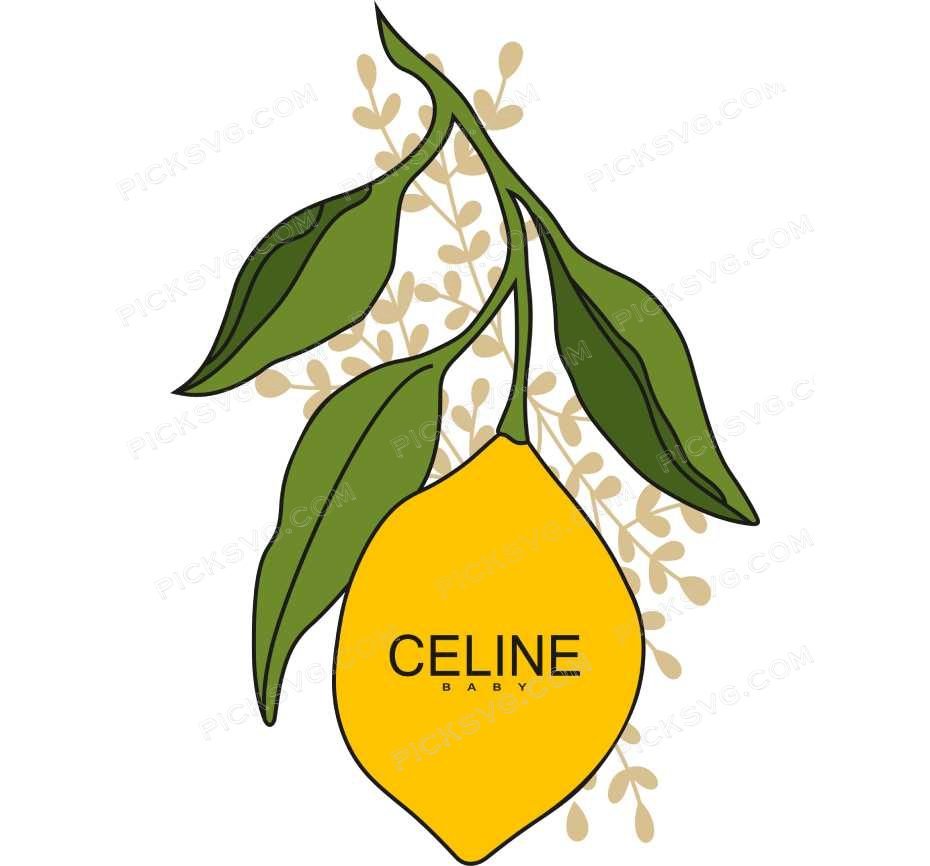
Celine Baby Svg
Quantity Discounts
| Quantity* | Price |
| 2 - 5 | $2.42 |
| 6 - 10 | $2.34 |
| 11 - 19 | $2.19 |
| 20 - 34 | $2.09 |
| 35 + | $1.87 |
*Quantity refers to discounted items (products with discount) individual count on cart.
Overview
Small shops keep the Celine Baby SVG in rotation because one download fuels a whole product line — baby-shower favors, nursery wall art, decals, and mugs — under a commercial license that covers selling the finished items. It stays sharp at any size, from a sticker to a hoodie back.
The Celine Baby SVG at a Glance
The Celine Baby SVG is a clean sweet nursery design, drawn with even weights and smooth curves so it looks intentional on baby-shower favors rather than clip-art thrown on a blank. Every file is a true vector, so you can resize it for a onesie or a hoodie back and the edges stay crisp — no pixelation, no jagged lines, and no re-buying a bigger version later. That is what makes it worth keeping in your library instead of redrawing it each season.
Built for Makers and Small Shops
Primary buyers are new parents, baby-shower hosts, and crafters who make their own products and want files they can resize and recolor, not a fixed printable. Secondary buyers are Etsy sellers and market vendors who need artwork that cuts and sublimates reliably across a batch. The search intent is practical and ready-to-buy: the shopper already knows the design, owns a Cricut or Silhouette, and wants the files today rather than a catalog to scroll.
From Tees to Tumblers
Popular makes include onesies and bibs pressed in heat-transfer vinyl, nursery signs and wall art wrapped in permanent adhesive vinyl, and milestone keepsakes printed from the transparent PNG for sublimation or print-then-cut stickers. The same artwork also suits onesies and milestone photos and new-parent gifts. Because it is one clean, ready-to-cut file, it carries a baby shower year after year without a redraw — which is what keeps your per-item cost down once an order grows past a single piece.
Why a Digital Download
Buy it once and reuse it as often as you like, from a single make today to a full batch next month, with no reorder and no extra fee. Because the license covers finished-item sales, the same download works for personal gifts and for your Etsy or market listings alike.
Tips for a Crisp Cut
Sizing is where a file earns its keep. As a starting point, an adult-tee graphic runs about nine to eleven inches wide, a left-chest print three to four inches, a 20 oz tumbler wrap around four inches tall, and a decal whatever suits the surface. Keep fine detail above roughly a quarter inch so it weeds without lifting, and run one test cut on scrap vinyl to dial in pressure and blade depth before committing a full sheet.
Machine Notes and Settings
Open the SVG in Cricut Design Space or Silhouette Studio and it lands as a live cut path — no tracing step. On a Silhouette Portrait 3 the standard vinyl setting handles it cleanly, and a Cricut Maker 3 reads the same file without converting anything. Bibs and onesies read best with bold, low-detail shapes; keep tiny prints simple so they press flat. Mirror the design before pressing iron-on, use transfer tape to move adhesive vinyl, and lean on the DXF for Silhouette and CNC, the EPS for Illustrator or Inkscape, and the PNG for sublimation and print-then-cut apps.
The Five Formats
Your ZIP download includes 5 formats: SVG for cutting machines, PNG with transparent background for sublimation and PLT printing, EPS for Adobe Illustrator, CorelDraw and Inkscape, DXF for CNC and Silhouette users, and PDF for reference on any device.
Customizing Your Design
Need it adjusted — a name added, a color swapped, or the layout resized for a specific blank? Our custom vector design service can handle that for you. Browse the Miscellaneous SVG collection to build out a matching set, and if a download link ever expires or you are unsure which file your printer needs, get in touch with the PickSVG team and you will get a straight answer the same day.
This is an instant digital download — no physical item is shipped. Commercial license included for Etsy and small business use.
Formats & machine compatibility
| Format | Best for | Opens in |
|---|---|---|
| SVG | Cutting vinyl, HTV, cardstock | Cricut Design Space, Silhouette Designer Edition |
| PNG | Sublimation, print-then-cut | Any printer software · 300 DPI, transparent |
| DXF | Silhouette Basic, CNC routing | Silhouette Studio Basic, Fusion, VCarve |
| EPS | Editing, recolouring, resizing | Illustrator, Inkscape, CorelDRAW, Affinity |
| Reference, proofing, print | Any PDF reader or print shop |
- Cricut Maker 3, Maker, Explore, Joy
- Silhouette Cameo 4 & 5, Portrait — use DXF on Basic edition
- Brother ScanNCut SDX & DX
- Laser Glowforge, xTool, diode lasers
How to use these files
STEP 1
Unzip on a computer
Design Space needs unzipped files, so extract the ZIP on a desktop or laptop rather than a phone.
STEP 2
Upload the right format
In Design Space: Upload → Upload Image → select the SVG. On Silhouette Basic, import the DXF instead.
STEP 3
Size, then cut
Size to your blank before cutting. For sublimation, skip the SVG and print the PNG at 300 DPI.
Full walkthrough with screenshots: how to upload an SVG to Cricut Design Space.
License summary
- Personal projects — unlimited
- Sell finished physical items: shirts, tumblers, decals, signs
- Sell on Etsy, at markets, or in your own shop
- Resell, share or redistribute the digital files
- Print-on-demand services without written permission
Reviews — 5.0 out of 5 from 1 review
1 review for Celine Baby Svg
Only logged in customers who have purchased this product may leave a review.
You May Also Like






Priya Anand –
Made a onesie for my daughter’s baby shower and everyone asked where I got the design. It cut out beautifully on my Silhouette with no jagged edges.