
Download
Checkout
License
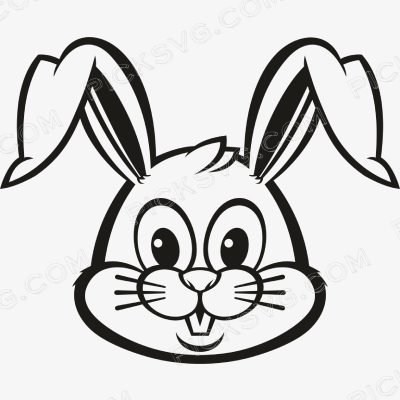
Bunny Rabbit Svg
Quantity Discounts
| Quantity* | Price |
| 2 - 5 | $2.42 |
| 6 - 10 | $2.34 |
| 11 - 19 | $2.19 |
| 20 - 34 | $2.09 |
| 35 + | $1.87 |
*Quantity refers to discounted items (products with discount) individual count on cart.
Overview
Bunny Rabbit SVG – Cute Animal Cut File for Cricut & Silhouette
Bunny Rabbit SVG renders an adorable, detailed bunny silhouette with soft ear curves and a fluffy tail in a charming vector format – built for Easter crafters, nursery décor sellers, and Etsy shops serving the year-round demand for sweet, gentle animal illustrations that work across baby products, spring holiday merchandise, and children’s room décor. Bunny imagery occupies a uniquely versatile niche because it transcends a single holiday or season – while strongly associated with Easter, a well-designed bunny silhouette also serves nursery decor, woodland-themed children’s products, and general cute-animal gift items throughout the entire year.
This design’s soft, rounded silhouette construction gives it a gentle, approachable quality perfectly suited for baby and children’s products. Cut it in pastel HTV for an Easter basket tag or baby onesie, or use the transparent PNG to sublimate a nursery wall print that brings woodland-creature charm into a baby’s room without being tied to a specific holiday. The versatility of this design across Easter, baby shower, and year-round nursery décor markets gives it an unusually long commercial shelf life compared to single-occasion seasonal designs that only sell during a narrow window each year.
For Etsy sellers, gentle animal silhouettes like this bunny design represent smart, efficient inventory because they support multiple distinct product categories and selling seasons from a single design file – Easter basket tags and apparel in spring, ongoing nursery décor and baby shower gifts throughout the year, and woodland-themed children’s products that never go out of season in the kids’ market.
Bunny Rabbit SVG – Machine Compatibility & Cutting Notes
The soft ear curves and detailed fur texture cut cleanly on a Cricut Maker 3, where the precision blade preserves the gentle, rounded silhouette without losing definition at the finer fur-texture points. For standard apparel and nursery decor production, a Cricut Explore Air 2 handles this design reliably at sizes from 2 inches to full wall decal graphics. Silhouette users on a Silhouette Cameo 4 can import the SVG directly into Silhouette Studio for clean cutting suited to both Easter-season apparel batches and year-round nursery décor production.
For sublimation nursery decor and baby gift production, the transparent PNG renders the bunny’s soft texture sharply on both fabric and hard-good substrates.
Included File Formats
Your ZIP download includes 5 formats: SVG for cutting machines, PNG with transparent background for sublimation and PLT printing, EPS for Adobe Illustrator, CorelDraw and Inkscape, DXF for CNC and Silhouette users, and PDF for reference on any device.
Project Ideas for Bunny Rabbit SVG
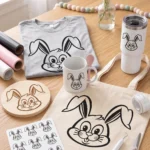
Easter basket tags and spring apparel are the seasonal application for this design, selling strongly in the weeks leading up to the Easter holiday. Nursery wall art and baby onesies extend this bunny’s appeal into year-round baby and children’s décor markets. Baby shower banners and party decorations benefit from this design’s gentle, universally appealing aesthetic. Woodland-creature themed children’s room décor pairs this bunny with companion forest animal designs for a cohesive nursery theme collection.
More Animal & Nursery Designs
Browse more cute animal and nursery-themed cut files in the Miscellaneous SVG collection. Need a custom bunny pose or different woodland animal design? Our Custom Vector Design service can create it. For any questions, contact our support team anytime.
This is an instant digital download – no physical item is shipped. Commercial license included for Etsy and small business use.
Formats & machine compatibility
| Format | Best for | Opens in |
|---|---|---|
| SVG | Cutting vinyl, HTV, cardstock | Cricut Design Space, Silhouette Designer Edition |
| PNG | Sublimation, print-then-cut | Any printer software · 300 DPI, transparent |
| DXF | Silhouette Basic, CNC routing | Silhouette Studio Basic, Fusion, VCarve |
| EPS | Editing, recolouring, resizing | Illustrator, Inkscape, CorelDRAW, Affinity |
| Reference, proofing, print | Any PDF reader or print shop |
- Cricut Maker 3, Maker, Explore, Joy
- Silhouette Cameo 4 & 5, Portrait — use DXF on Basic edition
- Brother ScanNCut SDX & DX
- Laser Glowforge, xTool, diode lasers
How to use these files
STEP 1
Unzip on a computer
Design Space needs unzipped files, so extract the ZIP on a desktop or laptop rather than a phone.
STEP 2
Upload the right format
In Design Space: Upload → Upload Image → select the SVG. On Silhouette Basic, import the DXF instead.
STEP 3
Size, then cut
Size to your blank before cutting. For sublimation, skip the SVG and print the PNG at 300 DPI.
Full walkthrough with screenshots: how to upload an SVG to Cricut Design Space.
License summary
- Personal projects — unlimited
- Sell finished physical items: shirts, tumblers, decals, signs
- Sell on Etsy, at markets, or in your own shop
- Resell, share or redistribute the digital files
- Print-on-demand services without written permission
Reviews — 4.8 out of 5 from 4 reviews
4 reviews for Bunny Rabbit Svg
Only logged in customers who have purchased this product may leave a review.
You May Also Like





Liam Nguyen –
This Bunny Rabbit design was perfect for a lunchbox decal I made for a lunchbox my kid picked out. Exactly what I needed.
Little Acorn Crafts –
This Bunny Rabbit design was perfect for a tumbler I made for our Halloween party. The detail translated really well onto the material. Layers were separated and labeled clearly, so recoloring was simple. Everyone who saw the finished piece asked where I got it.
Lily Mills –
Grabbed this Bunny Rabbit file to make a tote bag for our Halloween party. Turned out great.
Cody Palmer –
Used the Bunny Rabbit file for a nursery print for a lunchbox my kid picked out. The file opened right up in Cricut Design Space with no issues. Way better quality than some other files I’ve paid more for.