

Download
Checkout
License
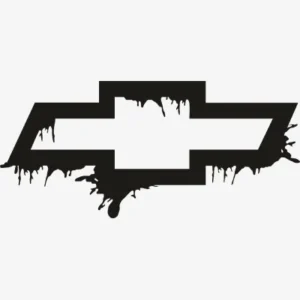
Chevrolet Punisher Skull Svg
Welcome to our digital Svg collection
Download Chevrolet Punisher Skull Svg digital file.Quantity Discounts
| Quantity* | Price |
| 2 - 5 | $2.32 |
| 6 - 10 | $2.25 |
| 11 - 19 | $2.10 |
| 20 - 34 | $2.01 |
| 35 + | $1.79 |
*Quantity refers to discounted items (products with discount) individual count on cart.
Overview
Chevrolet Punisher Skull SVG – Bold Truck Mashup Cut File for Cricut & Silhouette
Chevrolet Punisher Skull SVG combines the recognizable bowtie emblem with an aggressive skull silhouette in a bold mashup vector design – built for truck enthusiasts and Chevy owners who want a more aggressive, masculine visual statement than a standard brand logo alone provides. This mashup style has become particularly popular within truck culture, where owners often seek merchandise that combines brand loyalty with edgier, more intense visual themes that reflect the rugged, powerful identity many truck owners associate with their vehicles and personal style.
This design’s bold skull-and-bowtie combination creates strong visual impact suited to rear window decals, truck toolbox graphics, and apparel where maximum visual presence matters. Cut it in matte black HTV for a tailgate decal, or use the transparent PNG to sublimate a tumbler with high-contrast graphic impact. The skull motif specifically resonates with truck culture’s broader aesthetic preferences, where aggressive, bold imagery often performs better commercially than softer or more refined brand treatments, particularly among buyers who modify and personalize their trucks extensively as an expression of personal identity.
For Etsy sellers serving truck culture and automotive brand merchandise markets, mashup-style designs combining brand logos with bold thematic elements like this skull treatment tend to command premium pricing compared to standard logo decals, appealing to a buyer segment specifically seeking more aggressive, statement-making automotive merchandise.
Chevrolet Punisher Skull SVG – Machine Compatibility & Cutting Notes
The bold skull and bowtie elements cut cleanly on a Cricut Maker 3, where the precision blade preserves the aggressive skull detail and emblem shape without losing definition at the design’s sharper angular points. For standard decal production, a Cricut Explore Air 2 handles this design reliably at sizes from a small toolbox sticker to a large tailgate decal. Silhouette users on a Silhouette Cameo 4 can load the DXF directly into Silhouette Studio for clean cutting suited to large-format truck decal applications.
For sublimation tumbler and accessory production, the transparent PNG renders the high-contrast skull and bowtie design sharply for maximum visual impact.
Included File Formats
Your ZIP download includes 5 formats: SVG for cutting machines, PNG with transparent background for sublimation and PLT printing, EPS for Adobe Illustrator, CorelDraw and Inkscape, DXF for CNC and Silhouette users, and PDF for reference on any device.
Project Ideas for Chevrolet Punisher Skull SVG
Rear window and tailgate decals featuring this bold mashup are the strongest application for truck owners wanting maximum visual impact. Toolbox and equipment decals cut from durable vinyl extend this aggressive design into work truck branding. Apparel cut in matte black HTV brings this statement design onto hoodies and tees for truck culture enthusiasts. Garage and man cave signage rounds out a complete bold automotive merchandise collection for dedicated Chevy truck owners.
More Motor & Automotive Brand Designs
Browse more automotive and motor brand cut files in the Motor Logos SVG collection. Need a custom mashup design or different bold graphic treatment? Our Custom Vector Design service can create it. For any questions, contact our support team anytime.
This is an instant digital download – no physical item is shipped. Commercial license included for Etsy and small business use.
Formats & machine compatibility
| Format | Best for | Opens in |
|---|---|---|
| SVG | Cutting vinyl, HTV, cardstock | Cricut Design Space, Silhouette Designer Edition |
| PNG | Sublimation, print-then-cut | Any printer software · 300 DPI, transparent |
| DXF | Silhouette Basic, CNC routing | Silhouette Studio Basic, Fusion, VCarve |
| EPS | Editing, recolouring, resizing | Illustrator, Inkscape, CorelDRAW, Affinity |
| Reference, proofing, print | Any PDF reader or print shop |
- Cricut Maker 3, Maker, Explore, Joy
- Silhouette Cameo 4 & 5, Portrait — use DXF on Basic edition
- Brother ScanNCut SDX & DX
- Laser Glowforge, xTool, diode lasers
How to use these files
STEP 1
Unzip on a computer
Design Space needs unzipped files, so extract the ZIP on a desktop or laptop rather than a phone.
STEP 2
Upload the right format
In Design Space: Upload → Upload Image → select the SVG. On Silhouette Basic, import the DXF instead.
STEP 3
Size, then cut
Size to your blank before cutting. For sublimation, skip the SVG and print the PNG at 300 DPI.
Full walkthrough with screenshots: how to upload an SVG to Cricut Design Space.
License summary
- Personal projects — unlimited
- Sell finished physical items: shirts, tumblers, decals, signs
- Sell on Etsy, at markets, or in your own shop
- Resell, share or redistribute the digital files
- Print-on-demand services without written permission
Reviews
Only logged in customers who have purchased this product may leave a review.
You May Also Like




Reviews
There are no reviews yet.