
Download
Checkout
License
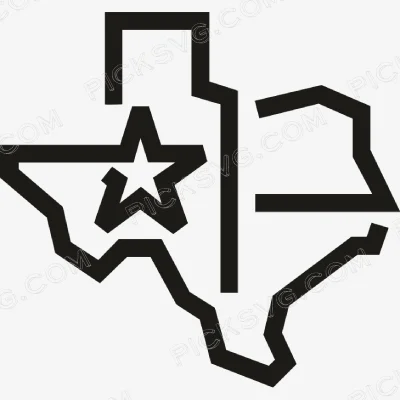
Texas Lone Star State Logo Svg
Quantity Discounts
| Quantity* | Price |
| 2 - 5 | $2.91 |
| 6 - 10 | $2.82 |
| 11 - 19 | $2.64 |
| 20 - 34 | $2.52 |
| 35 + | $2.25 |
*Quantity refers to discounted items (products with discount) individual count on cart.
Overview
Texas Lone Star State Logo SVG – Texas Pride Cut File for Cricut & Silhouette
The Texas Lone Star State Logo SVG captures the Lone Star — Texas’s most powerful and emotionally resonant state symbol — in a clean logo format built for the massive Texas pride merchandise market. Tags confirm Lone Star, Lone Star State, Texas Pride, Texas State, and Texas as the design’s identity markers, placing this file in the Patriotic And Flags collection for buyers who celebrate Texas identity with the same passionate pride that Texans are globally known for expressing. The Lone Star is not just a state symbol to Texans — it is a cultural identity marker that carries the weight of the Republic of Texas era, the independent spirit mythology, and the deep regional pride that distinguishes Texas from every other American state. A design built around the Lone Star speaks directly to that emotional connection.
Texas pride merchandise is one of the strongest state identity markets in the entire craft and Etsy ecosystem. The sheer size of the Texas population, combined with the diaspora of Texas natives living in other states who maintain their identity through cultural markers and merchandise, creates a buyer base of extraordinary breadth and consistent purchasing intensity. Unlike most state pride markets that peak primarily around local events and tourism, Texas pride merchandise sells year-round driven by native Texan identity rather than situational occasion — the Texan who lives in Colorado or New York purchases Texas pride merchandise with the same frequency and enthusiasm as one who has never left the state.
The Lone Star logo format specifically serves the buyer who wants a contained, versatile state symbol that works equally as a chest logo on apparel, a compact car decal, and a small accent in a larger Texas-themed composition. The clean logo construction makes this design adaptable to any project without the compositional constraints of state outline silhouettes or full flag reproductions.
Texas Lone Star State Logo SVG – Machine Compatibility
Star logo designs cut with excellent precision on a Cricut Maker 3 — the Lone Star geometry loads as a clean, fast-cutting shape. For Texas pride merchandise batch production, the Silhouette Cameo 4 handles this design efficiently in Texas red, white, and blue. The Cricut Explore Air 2 is ideal for personal Texas pride project cuts for apparel, tumblers, and car decals.
Included File Formats
Your ZIP download includes 5 formats: SVG for cutting machines, PNG with transparent background for sublimation and PLT printing, EPS for Adobe Illustrator, CorelDraw and Inkscape, DXF for CNC and Silhouette users, and PDF for reference on any device.
Project Ideas for Texas Lone Star State Logo SVG
Texas pride tees in red, white, and blue HTV serve the enormous Texas native market for everyday state identity apparel. Sublimated tumblers featuring the Lone Star logo make popular Texas gifts for people moving away from the state or for out-of-state Texas fans. Car window decals and bumper stickers in Texas colors give Texans a year-round public declaration of their state pride wherever they travel. Laser-engraved wooden signs and home décor items using the DXF file serve the Texas-themed interior design market for homes and offices that celebrate Lone Star State identity.
More Texas Pride & Patriotic SVG Files
Explore the full Patriotic And Flags SVG collection for more Texas and state pride cut files. Need a custom Texas design or Lone Star graphic? Our Custom Vector Design service creates it. For file questions, contact our team.
This is an instant digital download — no physical item is shipped. Commercial license included for Etsy and small business use.
Formats & machine compatibility
| Format | Best for | Opens in |
|---|---|---|
| SVG | Cutting vinyl, HTV, cardstock | Cricut Design Space, Silhouette Designer Edition |
| PNG | Sublimation, print-then-cut | Any printer software · 300 DPI, transparent |
| DXF | Silhouette Basic, CNC routing | Silhouette Studio Basic, Fusion, VCarve |
| EPS | Editing, recolouring, resizing | Illustrator, Inkscape, CorelDRAW, Affinity |
| Reference, proofing, print | Any PDF reader or print shop |
- Cricut Maker 3, Maker, Explore, Joy
- Silhouette Cameo 4 & 5, Portrait — use DXF on Basic edition
- Brother ScanNCut SDX & DX
- Laser Glowforge, xTool, diode lasers
How to use these files
STEP 1
Unzip on a computer
Design Space needs unzipped files, so extract the ZIP on a desktop or laptop rather than a phone.
STEP 2
Upload the right format
In Design Space: Upload → Upload Image → select the SVG. On Silhouette Basic, import the DXF instead.
STEP 3
Size, then cut
Size to your blank before cutting. For sublimation, skip the SVG and print the PNG at 300 DPI.
Full walkthrough with screenshots: how to upload an SVG to Cricut Design Space.
License summary
- Personal projects — unlimited
- Sell finished physical items: shirts, tumblers, decals, signs
- Sell on Etsy, at markets, or in your own shop
- Resell, share or redistribute the digital files
- Print-on-demand services without written permission
Reviews
Only logged in customers who have purchased this product may leave a review.
You May Also Like








Reviews
There are no reviews yet.