
Free SVG Files for Cricut: 7 Trusted Sources + What to Avoid
 10 min read
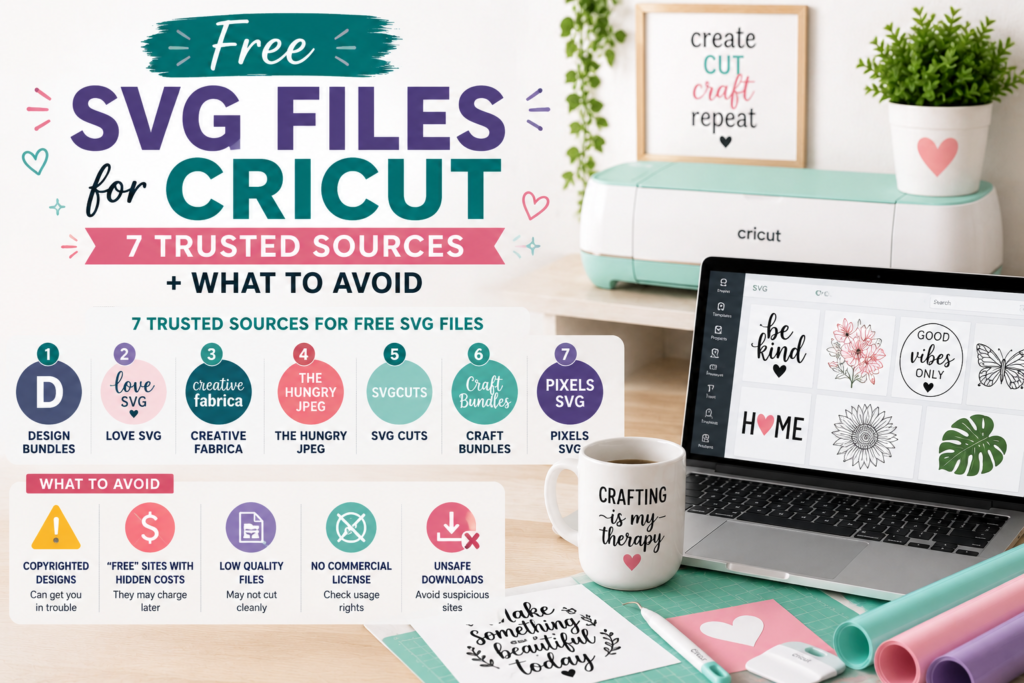
Free SVG files are one of the best ways to start your Cricut journey. When you’re learning your machine, making gifts, or crafting for yourself, there’s no reason to pay for every design — plenty of quality files are available at no cost. But here’s the catch most beginners discover the hard way: not all “free” sources are equal, and some are downright risky.
The difference between a trusted free source and a bad one comes down to three things: the quality of the files (will they actually cut cleanly?), the licensing (are you legally allowed to use them?), and the safety of the site itself (some sneak in malware or offer stolen, branded content). Download from the wrong place and you’ll waste materials on ragged cuts, or worse, land in legal trouble.
This guide shares 7 genuinely trusted sources for free SVG files, plus the red flags that tell you to close the tab immediately. If you’d like the bigger picture first — including premium studios, bundles, and how to choose between every option — start with our ultimate guide to where to find SVG files for Cricut. Otherwise, let’s dive into the best free options.
📋 Table of Contents
Free vs Premium SVG Files: The Real Difference
Before you start downloading, it helps to understand exactly what you’re getting with free files — and what you’re giving up. Neither is “better” across the board; they simply suit different projects.
| Factor | Free SVG Files | Premium SVG Files |
|---|---|---|
| Cost | Free | A few dollars per file or bundle |
| Formats | Often just SVG | Usually SVG, PNG, DXF, EPS, PDF |
| Quality | Inconsistent, not always tested | Professionally designed & cut-tested |
| Licensing | Often personal use only | Commercial license common |
| Attribution | Frequently required | Usually not required |
| Support | None | Customer support available |
The short version: free files are ideal for learning and personal projects, while premium files earn their cost the moment you’re selling products, need multiple formats, or want layered, cut-ready designs. If selling is on your radar, the licensing difference matters most — our guide to SVG commercial licensing explains why.
7 Trusted Sources for Free SVG Files
These are established, reputable places to find free SVGs. As you browse, always check the license on each individual file — even on a trusted site, terms can vary from one design to the next.
1. The Noun Project
A massive library of clean, minimalist icons and symbols created by a global design community. It’s ideal for simple graphics, monograms, and modern icon-style designs. The main thing to watch: the free tier typically requires attribution, and you’ll need an account to download. Best for: simple icons and minimalist designs.
2. Freepik
A huge collection of vector graphics spanning nearly every theme, with a mix of free and premium content. Great for decorative elements and themed designs. Watch out for daily download limits and attribution requirements on the free plan, and note that some files come in formats that need converting. Best for: decorative and themed vector elements.
3. Flaticon
Part of the same family as Freepik, Flaticon specializes in flat-design icons with a consistent style and easy color customization. Perfect for modern, clean projects. The free tier requires attribution and has download limits. Best for: app-style icons and simple modern graphics.
4. Pixabay
Best known for photos, Pixabay also offers vector graphics with unusually permissive licensing — generally no attribution required and true commercial use allowed. The SVG selection is smaller and quality varies, but the licensing is refreshingly simple. Best for: basic shapes and simple graphics with easy licensing.
5. Creative Fabrica (Free Section)
Primarily a premium marketplace, Creative Fabrica rotates a selection of free, craft-focused, Cricut-tested files — often with commercial licenses. The free selection is limited and changes regularly, and you’ll see heavy promotion of paid content, but the quality is high. Best for: sampling premium-quality craft files.
6. Design Bundles (Free Section)
Another premium marketplace with a dedicated free area, offering weekly freebies that are often worth far more in their paid form. Commercial licenses are frequently included. The trade-off is a very limited, time-sensitive selection and email signup. Best for: grabbing premium files free, if you’re patient.
7. LoveSVG
A craft-focused platform built specifically for cutting machines, with both free and premium files plus helpful tutorials. Designs are Cricut-oriented, though licensing is mixed (read each carefully) and ads can be intrusive. Best for: craft-specific projects, quotes, and sayings.
Red Flags: Sites and Situations to Avoid
Free is great — until it costs you a ruined project, a malware headache, or a copyright claim. These warning signs mean you should close the tab and find your file elsewhere.
1. Branded content offered “free for commercial use.” Disney, Marvel, sports teams, and brand logos are copyrighted — no site can legally give you the right to use or sell them, whatever they claim.
2. No licensing information at all. If usage rights aren’t stated anywhere, you have no protection and shouldn’t risk it.
3. Forced social shares or waves of redirect ads. Often a sign of scraped content, or sites that inject unwanted software.
4. Random file names like “svg1234.svg.” A strong hint the content was bulk-scraped rather than designed.
5. “Free SVG” social media groups and random Pinterest downloads. These are common hotspots for stolen and improperly licensed files.
Quick Fixes for Common Free-SVG Problems
Because free files aren’t always tested for cutting, you may occasionally hit a snag — a file that won’t upload, cuts poorly, or loses parts of the design. Nearly always, it’s the file at fault rather than your machine, and most issues have simple fixes: confirm it’s a true SVG, simplify overly complex designs, and check that paths are closed and colors are properly layered.
Rather than repeat all the fixes here, we’ve put together a complete, step-by-step resource: our guide to 10 common SVG file problems and how to fix them walks through each issue and solution in detail. Bookmark it — it’ll save you the next time a download misbehaves.
When to Upgrade to Premium SVGs
Free files are perfect for learning and personal crafts. But there comes a point where the time you spend hunting, vetting, and fixing free files costs more than a few well-made premium designs ever would. Here’s when it’s time to make the switch.
- You’re selling products. Selling requires a commercial license — and most free files don’t have one.
- You’re tired of troubleshooting. Cut-tested premium files just work, saving wasted vinyl and frustration.
- You need multiple formats. Premium downloads typically include SVG, PNG, DXF, EPS, and PDF for any project.
- You want layered, multi-color designs. Properly separated layers save an hour of manual work in Design Space.
- You value your time. Hours spent searching for matching free designs are worth more than the price of a coordinated bundle.
🎨 Ready for Files That Just Work?
When you’re ready to level up, PickSVG designs come cut-tested and properly layered, with 5 formats (SVG, PNG, EPS, DXF, PDF) and a commercial-use license in every download. Practice with our free files, then upgrade when it matters.
Start with Free SVGs at PickSVG →Want to explore the full range? Browse the complete SVG collection or grab a coordinated design bundle to launch a whole project or product line at once.
Frequently Asked Questions
Can I sell products made with free SVG files?
Usually not. Most free SVG files are licensed for personal use only, which means you can make items for yourself and as gifts, but you cannot legally sell products made with them. Some sources (like Pixabay) do allow commercial use, but you must confirm this on a per-file basis. If you plan to sell, the safest route is files that clearly include a commercial-use license.
What’s the best free SVG site for beginners?
Pixabay is a good starting point for absolute beginners because it offers simple licensing, generally requires no attribution, allows commercial use, and has no strict download limits. The selection is more limited than dedicated craft sites, so you’ll likely branch out as you grow — but it’s an easy, low-risk place to begin.
How do I know if a free SVG file will work with my Cricut?
Check that it’s a true SVG (not a PNG or JPG renamed with an .svg extension), that it’s described as a “cut file” or “Cricut compatible,” that the design is simple enough to cut cleanly without hair-thin lines, and that paths are closed. A reasonable file size is another good sign — very large files often contain embedded images or excessive detail that cut poorly.
Why do some free SVG files look pixelated?
If a “free SVG” looks pixelated, it’s probably not a true vector file. Some sites convert raster images (PNG or JPG) into an SVG wrapper, which doesn’t create real vector paths — so it won’t scale cleanly or cut properly. Always download from reputable sources, and if a file looks blurry when enlarged, it’s a raster image in disguise.
Is it legal to use Disney or branded SVG files if they’re offered free?
No. It doesn’t matter that a site offers them for free — Disney, Marvel, sports teams, brand logos, and other branded content are protected by copyright and trademark. Using them without a license from the rights holder is infringement, and it can lead to legal action and platform bans, especially if you sell the finished products. Stick to original designs to stay safe.
Do free SVG files require attribution?
It depends on the source. Some, like The Noun Project, Freepik, and Flaticon, typically require you to credit the designer on their free plans. Others, like Pixabay, don’t. Attribution is awkward for finished craft products, which is one reason premium no-attribution files are better suited to selling. Always read the specific license before you use a file.
Free Files First, Then Level Up When You’re Ready
Free SVG files have a real place in every crafter’s toolkit — especially when you’re learning your machine or making something for yourself. The trick is sticking to trusted sources, checking the license on every file, and steering well clear of branded content and sketchy sites. Do that, and free files will serve you well.
As your skills grow — and especially if you start selling — investing in tested, properly licensed premium designs saves time, materials, and legal worry. The best SVG file is one that cuts cleanly, comes with clear licensing, and helps you create something you’re proud of, whether that file is free or paid.
Want the complete picture of every place to find SVGs, free and premium? Read our ultimate guide to finding SVG files for Cricut. Ready to try quality files yourself? Start with PickSVG’s free SVG collection — no hunting, no guessing, just clean designs ready to cut.
Happy crafting! ✂️

More like this
 SVG Tips & Resources
How to Start an SVG Craft Business with Cricut: Complete 2026 Guide
Somewhere between your third batch of custom shirts and the friend who asks “wait, can you make me some too…
 SVG Tips & Resources
10 Common SVG File Problems and How to Fix Them
You’ve downloaded the perfect SVG file, loaded it into your Cricut Design Space or Silhouette Studio, and… nothing works. The…
 SVG Tips & Resources
How to Organize Digital SVG File Library Like a Pro
If you’re a Cricut or Silhouette crafter who’s been collecting SVG files for more than a few months, you know…