
Where to Find SVG Files for Cricut: The Ultimate Guide (2026)
 14 min read
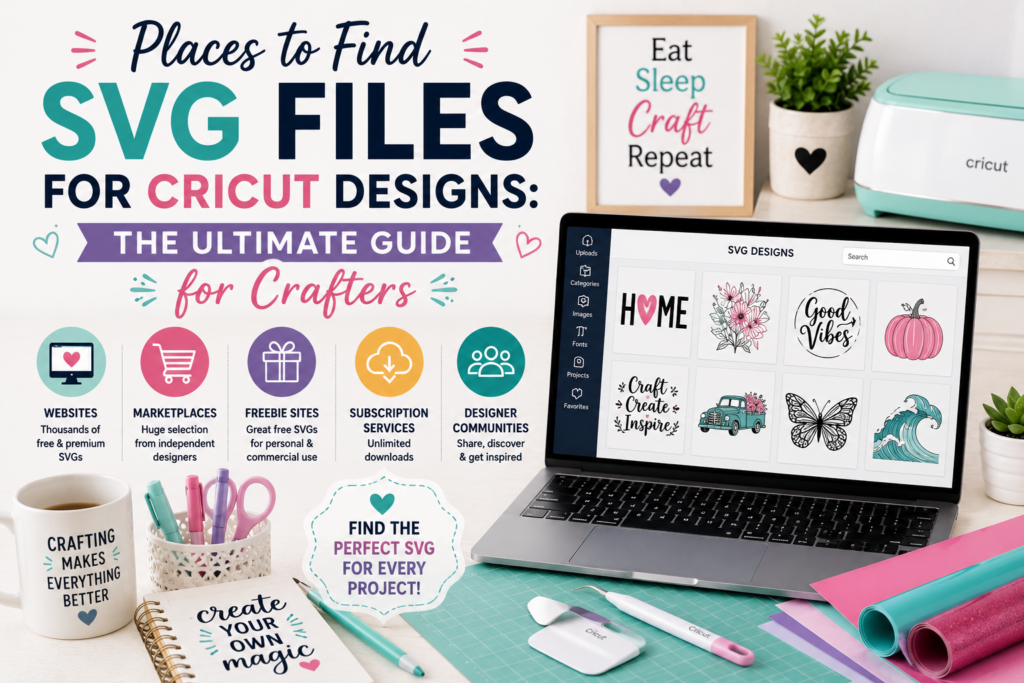
Every great Cricut project starts with one thing: the design. You can own the best machine, the freshest vinyl, and a perfectly calibrated heat press — but if the SVG file you’re working with is low quality, wrongly licensed, or a JPG someone renamed, the whole project falls apart. Where you get your files matters far more than most beginners realize.
Here’s what surprises people: there isn’t just “free sites” and “paid sites.” There’s an entire ecosystem of places to find SVG files, and each type is built for a different kind of crafter and a different kind of project. The right source for a beginner practicing on scrap vinyl is completely different from the right source for someone selling shirts at a craft fair. Pick the wrong one and you’ll waste hours hunting, ruin materials on bad cuts, or — worst case — land in licensing trouble.
This guide is your complete map of the SVG landscape. We’ll walk through every type of place to find files, help you choose the right source for your needs, and give you a simple checklist to vet any source for quality, format, and licensing before you download. If you’re specifically after free files, we also have a dedicated deep-dive on the 7 best free SVG sources (and what to avoid) — but start here to understand the full picture first.
📋 Table of Contents
- The 6 Types of Places to Find SVG Files
- Free vs Premium: Which Fits Your Project?
- How to Choose the Right Source for Your Needs
- How to Vet Any SVG Source (The 3 Checklists)
- File Formats a Good Source Should Include
- Red Flags to Watch For
- Match the Source to the Crafter: Quick Recommendations
- Frequently Asked Questions
The 6 Types of Places to Find SVG Files
Instead of memorizing a list of fifty websites, it’s far more useful to understand the categories of sources. Once you know the six types, you can walk into any site and immediately understand what it is, what to expect, and whether it fits your project.
1. Free SVG Websites
These offer files at no cost, usually funded by ads or by upselling premium content. They’re perfect for learning, personal projects, and testing your machine. The trade-offs are inconsistent quality, limited formats, and licensing that’s often personal-use only. For a vetted list of the best free options, see our guide to trusted free SVG sources.
2. Premium SVG Marketplaces
Large platforms where many independent designers sell files. You’ll find enormous variety and competitive prices, but quality and licensing vary from seller to seller, so you have to read each listing carefully.
3. Dedicated SVG Design Studios
Curated shops (like PickSVG) that design and test their own files. You get consistent quality, multiple formats in every download, and clear commercial licensing — because it’s all coming from one professional source rather than hundreds of different sellers.
4. Subscription & Membership Sites
Pay a recurring fee for unlimited (or high-volume) downloads. These make sense if you craft frequently and burn through designs quickly, but you’re renting access — cancel, and you may lose the ability to download again.
5. Custom Design Services
You describe exactly what you want and a designer creates it from scratch. This is the route for something truly unique, a personal logo, or a design no one else is selling. It costs more, but the result is exclusive to you.
6. Making Your Own
With free software like Inkscape, paid tools like Adobe Illustrator, or even basic shapes in Cricut Design Space, you can create SVGs yourself. It has the steepest learning curve, but it gives you total creative control and files you fully own.
| Source Type | Best For | Typical Cost | Commercial License? |
|---|---|---|---|
| Free SVG websites | Learning, personal projects, testing | Free | Rarely (check each) |
| Premium marketplaces | Variety and specific designs | Low per file | Varies by seller |
| Design studios | Consistent quality & clear licensing | Low–moderate | Usually included |
| Membership sites | Frequent, high-volume crafters | Monthly fee | Often included |
| Custom design | Exclusive, one-of-a-kind designs | Higher (per project) | Typically included |
| Making your own | Full control, designers | Free–software cost | You own it |
Free vs Premium: Which Fits Your Project?
This is the question almost every crafter wrestles with. The honest answer is that both have a place — the trick is knowing which one fits the project in front of you. Free isn’t “worse” and premium isn’t “always better.” They solve different problems.
| Factor | Free SVGs | Premium SVGs |
|---|---|---|
| Cost | Free | A few dollars per file or bundle |
| Quality & testing | Inconsistent | Tested, cut-ready |
| Formats included | Often SVG only | Usually SVG, PNG, DXF, EPS, PDF |
| Layering | Often not separated | Properly layered for multi-color |
| Licensing | Often personal use only | Commercial license common |
| Support | None | Customer support available |
| Best use | Learning & personal gifts | Selling & complex projects |
How to Choose the Right Source for Your Needs
The best source isn’t universal — it depends on what you’re making and why. Ask yourself these four questions, and the right type of source becomes obvious.
- Is this for personal use or for sale? Personal use opens up free options. Selling means you must have a commercial license, which points you toward design studios, membership sites, or custom design.
- How complex is the design? A simple one-color quote can come from almost anywhere. A layered, multi-color design needs a properly separated premium file, or you’ll spend an hour fixing it in Design Space.
- How often do you craft? An occasional hobbyist can buy files one at a time. A frequent crafter or seller saves money with bundles or a membership.
- What’s your skill level? Beginners benefit from tested, cut-ready files. Experienced designers may prefer making their own for total control.
🎨 One Source, Consistently Done Right
PickSVG designs and tests its own files — so every download is cut-ready, properly layered, includes 5 formats (SVG, PNG, EPS, DXF, PDF), and comes with a commercial-use license. No hunting, no guessing.
Browse the PickSVG Collection →How to Vet Any SVG Source (The 3 Checklists)
Whatever source you land on — free, premium, or somewhere in between — run it through these three quick checklists before you download. Ninety percent of “bad file” headaches disappear when you check quality, format, and licensing up front.
✅ Checklist 1 — Quality Signals
- Described as “cut file” or “Cricut-ready” — a strong sign it was made for cutting, not just viewing.
- Clear preview images — you can see exactly what you’re getting before downloading.
- Reviews or ratings — other crafters have used it successfully.
- Reasonable detail — extremely intricate designs with hair-thin lines are hard to weed and cut.
- Layered for multi-color — if it’s a colorful design, colors should be on separate layers.
✅ Checklist 2 — Format Signals
- A true SVG — not a PNG or JPG renamed with an .svg extension (a common trap that won’t cut properly). Our guide on SVG vs PNG vs DXF explains how to tell the difference.
- Multiple formats included — the best sources include SVG, PNG, DXF, EPS, and PDF so you’re covered for any project or machine.
- Sensible file size — a wildly large file often means embedded images or excess nodes.
✅ Checklist 3 — Licensing Signals
- A clearly stated license — if you can’t find one, assume you can’t sell with it.
- Personal vs commercial spelled out — know which one you’re getting before you build products.
- No attribution required — important for anyone selling, since crediting a designer on your products looks unprofessional.
- Original artwork only — steer clear of any file offering brand logos or licensed characters (more on this below).
File Formats a Good Source Should Include
When you download from a quality source, you shouldn’t get a single lonely file — you should get a set of formats, each useful for a different purpose. Here’s what a complete download looks like and why each format matters.
| Format | What It’s For |
|---|---|
| SVG | The main cut file for Cricut and Silhouette — scales without quality loss |
| PNG | Transparent-background image for Print Then Cut, stickers, and sublimation |
| DXF | Cut file for other machines and industrial cutters |
| EPS | Editable vector for Illustrator, CorelDRAW, and other design software |
| Reference and printing file |
If a source only ever gives you a bare SVG, it’s fine for simple cutting — but the moment you want to make a sticker, try sublimation, or edit the design, you’ll wish you had the rest. For a deeper explanation of each, see our file format comparison guide. New to SVGs entirely? Start with what an SVG file actually is.
Red Flags to Watch For
A few warning signs should make you close the tab immediately, no matter how tempting the design. Here are the big ones.
1. Branded content offered “free for commercial use.” Logos, Disney, Marvel, sports teams, and licensed characters are copyrighted — no third-party site can legally give you rights to sell them, whatever they claim.
2. No licensing information anywhere. If usage rights aren’t stated, you have no protection.
3. Forced social shares or endless redirect ads. Often a sign of scraped content or malware-adjacent sites.
4. Files named randomly (like “svg9271.svg”). A hint the content was bulk-scraped rather than designed.
These are the headlines. For the full list of specific sites and situations to avoid, our trusted free sources guide breaks them all down in detail.
Match the Source to the Crafter: Quick Recommendations
To make this practical, here’s where each type of crafter should start looking, based on everything above.
| You Are A… | Start With | Why |
|---|---|---|
| Total beginner | Free files + a trusted studio | Practice for free, then buy tested files for real projects |
| Regular hobbyist | Design studio or bundles | Consistent quality without the hunt |
| Craft seller | Commercial-use studio, bundles, or custom | Licensing and quality protect your business |
| Frequent, high-volume crafter | Membership or bundles | Lowest cost per design at volume |
| Designer / advanced user | Make your own + premium | Full control, plus premium for speed |
🎁 Ways to Stock Up on Great Designs
However you craft, PickSVG has a fit: single designs and bundles for growing collections, custom design for something exclusive, and free files to practice with — all cut-ready and commercially licensed.
Explore All SVG Designs →Frequently Asked Questions
Where is the best place to find SVG files for Cricut?
There’s no single “best” place — it depends on your project. For learning and personal use, free SVG websites work well. For selling, complex designs, or consistent quality, a dedicated design studio, bundles, or a membership site is the better choice because you get tested, layered files with proper commercial licensing. The smartest approach is to match the source to the project: free for practice, premium for anything that matters.
Are free SVG files safe to use?
Free SVG files from reputable sources are safe for personal projects, but there are two things to watch. First, licensing: most free files are personal-use only, so you can’t legally sell products made with them. Second, quality: free files aren’t always tested for cutting, and some sites offer scraped or branded content you shouldn’t use. Download only from trusted sources, and always check the license before use.
What’s the difference between free and premium SVG sites?
Free sites cost nothing but tend to offer inconsistent quality, a single file format, personal-use-only licensing, and no support. Premium sites charge a small fee but usually provide tested, cut-ready files, multiple formats (SVG, PNG, DXF, EPS, PDF), properly layered multi-color designs, commercial licensing, and customer support. Free is ideal for learning and personal projects; premium is worth it for selling and complex work.
Can I use any SVG file I find for my Cricut projects?
For personal projects, generally yes — as long as it’s from a legitimate source. But if you plan to sell what you make, you need a file with a commercial-use license, and you must avoid trademarked or copyrighted content (brand logos, licensed characters, sports teams) entirely, regardless of what a site claims. Always confirm the license before using any file commercially.
How do I know if an SVG file is good quality before downloading?
Look for a few signals: it’s described as a “cut file” or “Cricut-ready,” it has clear preview images, it has reviews or ratings from other crafters, and — for colorful designs — the colors are on separate layers. Also confirm it’s a true SVG and not a raster image renamed with an .svg extension, since those won’t cut properly. A quality source will make all of this obvious on the product page.
What file formats should an SVG download include?
A complete download should include more than just the SVG. The best sources provide SVG (the cut file), PNG (transparent image for Print Then Cut, stickers, and sublimation), DXF (for other cutting machines), EPS (editable vector), and PDF (reference and printing). Having all five means you’re covered no matter what project or machine you use later, without hunting for the design again.
Where can I find SVG files I’m allowed to sell products with?
Look for sources that clearly include a commercial-use license and offer original designs — dedicated design studios, commercial bundles, and custom design services are your safest bets. Avoid free personal-use files and anything featuring third-party brands. Every design from PickSVG includes a commercial license, which is why it’s a reliable source for crafters who sell.
Can I make my own SVG files instead of downloading them?
Yes. You can create SVGs with free software like Inkscape, paid tools like Adobe Illustrator, or even by combining basic shapes and text in Cricut Design Space. Making your own gives you complete creative control and files you fully own — the trade-off is a learning curve and more time per design. Many crafters do a mix: they design simple pieces themselves and download more complex or specialized designs from a trusted source.
Find the Right Source, Make Better Projects
Finding SVG files for Cricut isn’t really about memorizing a list of websites — it’s about understanding your options and matching the source to the project. Free sites are perfect for learning and personal crafts. Design studios and bundles give you tested, licensed files for anything that matters. Membership and custom services fit high-volume crafters and sellers. And making your own is always there when you want total control.
Whatever you choose, run every download through the three checklists — quality, format, and licensing — and you’ll avoid almost every “bad file” frustration before it starts. That single habit will save you more time and materials than any other tip in this guide.
Ready to skip the hunt? Explore PickSVG’s design collections — cut-ready, properly layered, five formats in every download, and commercially licensed, so you can spend less time searching and more time creating. And if you specifically want free files first, our guide to trusted free sources has you covered.
Now go find that perfect design. ✂️

More like this
 SVG Tips & Resources
How to Start an SVG Craft Business with Cricut: Complete 2026 Guide
Somewhere between your third batch of custom shirts and the friend who asks “wait, can you make me some too…
 SVG Tips & Resources
10 Common SVG File Problems and How to Fix Them
You’ve downloaded the perfect SVG file, loaded it into your Cricut Design Space or Silhouette Studio, and… nothing works. The…
 SVG Tips & Resources
How to Organize Digital SVG File Library Like a Pro
If you’re a Cricut or Silhouette crafter who’s been collecting SVG files for more than a few months, you know…
Your blog is a testament to your dedication to your craft. Your commitment to excellence is evident in every aspect of your writing. Thank you for being such a positive influence in the online community.
Your blog is an oasis in a world filled with negativity and hate Thank you for providing a safe space for your readers to recharge and refuel