

Download
Checkout
License
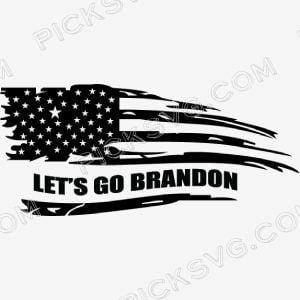
Fight for America SVG, DXF, PDF, EPS, PNG
Quantity Discounts
| Quantity* | Price |
| 2 - 5 | $3.39 |
| 6 - 10 | $3.28 |
| 11 - 19 | $3.07 |
| 20 - 34 | $2.93 |
| 35 + | $2.62 |
*Quantity refers to discounted items (products with discount) individual count on cart.
Overview
Product Description
Fight for America SVG – Instant Digital Download
Stand strong and proud with our bold and patriotic **Fight for America SVG** design. Ideal for political campaigns, patriotic events, military appreciation crafts, and pro-USA gear, this digital file is compatible with Cricut, Silhouette, and CNC machines.
Your purchase includes SVG, PNG, PDF, EPS, and DXF formats – all neatly packaged in one easy-to-download ZIP file.
You can use this design for:
– T-shirts, hoodies, and hats
– Yard signs, bumper stickers, and banners
– Mugs, tumblers, and decals
– Patriotic crafts and sublimation
– Military and political-themed DIY projects
What’s Included in the Download
✔️ SVG File – Perfect for Cricut, Silhouette Cameo, Brother ScanNCut, and more
✔️ PNG File – High-resolution with transparent background for printing or sublimation
✔️ EPS File – Fully editable vector file for Adobe Illustrator, CorelDraw, and Inkscape
✔️ PDF File – Easy to open and print on any device
✔️ DXF File – For Silhouette Studio (Basic Edition) and CNC machines
Instant Digital Download
No physical product will be shipped. Files will be available for download immediately after purchase and will also be emailed to you.
✔️ Watermarks will not appear on your downloaded files.
Why Choose Us?
We create high-quality SVG files for patriotic, political, and military-themed projects. Explore our full SVG collection for more USA-inspired designs.
Need to convert your files? Use Cloudconvert.com.
Need assistance? Contact us anytime – we’re here to help!
Formats & machine compatibility
| Format | Best for | Opens in |
|---|---|---|
| SVG | Cutting vinyl, HTV, cardstock | Cricut Design Space, Silhouette Designer Edition |
| PNG | Sublimation, print-then-cut | Any printer software · 300 DPI, transparent |
| DXF | Silhouette Basic, CNC routing | Silhouette Studio Basic, Fusion, VCarve |
| EPS | Editing, recolouring, resizing | Illustrator, Inkscape, CorelDRAW, Affinity |
| Reference, proofing, print | Any PDF reader or print shop |
- Cricut Maker 3, Maker, Explore, Joy
- Silhouette Cameo 4 & 5, Portrait — use DXF on Basic edition
- Brother ScanNCut SDX & DX
- Laser Glowforge, xTool, diode lasers
How to use these files
STEP 1
Unzip on a computer
Design Space needs unzipped files, so extract the ZIP on a desktop or laptop rather than a phone.
STEP 2
Upload the right format
In Design Space: Upload → Upload Image → select the SVG. On Silhouette Basic, import the DXF instead.
STEP 3
Size, then cut
Size to your blank before cutting. For sublimation, skip the SVG and print the PNG at 300 DPI.
Full walkthrough with screenshots: how to upload an SVG to Cricut Design Space.
License summary
- Personal projects — unlimited
- Sell finished physical items: shirts, tumblers, decals, signs
- Sell on Etsy, at markets, or in your own shop
- Resell, share or redistribute the digital files
- Print-on-demand services without written permission
Reviews
Only logged in customers who have purchased this product may leave a review.
You May Also Like






Reviews
There are no reviews yet.