
Download
Checkout
License
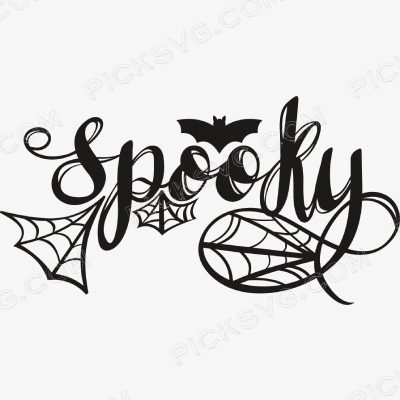
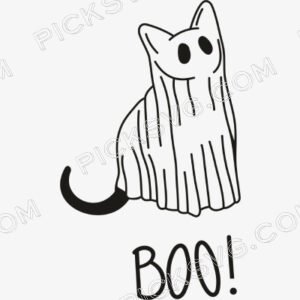
Spooky Halloween Svg
Quantity Discounts
| Quantity* | Price |
| 2 - 5 | $2.42 |
| 6 - 10 | $2.34 |
| 11 - 19 | $2.19 |
| 20 - 34 | $2.09 |
| 35 + | $1.87 |
*Quantity refers to discounted items (products with discount) individual count on cart.
Overview
Spooky Halloween SVG – Halloween Vibes Cut File for Cricut & Silhouette
Spooky Halloween SVG delivers the original foundational “”spooky”” Halloween typography treatment – the companion to the numbered variant, offering a distinct layout and typographic character that gives sellers two genuinely different bold Halloween statement designs within the same seasonal category. Where the companion file uses one compositional approach to Halloween lettering, this original version’s specific type treatment and element arrangement gives buyers a visual choice between two spooky aesthetics.
This version’s specific layout proportions suit different product formats than the companion – one may read better across a tumbler wrap’s horizontal band while the other centers more powerfully on a tee front. Cut it in classic orange on black for the Halloween apparel combination that never fails, or sublimate the transparent PNG onto seasonal party accessories where this specific composition fits the product dimensions cleanly. Having both versions in a shop’s inventory also doubles Halloween typography listing presence within Etsy search results, capturing a wider range of buyer visual preferences within the same seasonal keyword territory.
For Etsy sellers, the foundational bold Halloween statement design is table-stakes seasonal inventory – it sells in volume every October and pairs well with every other Halloween design in a shop’s catalog.
Spooky Halloween SVG – Machine Compatibility & Cutting Notes
The Halloween typography cuts cleanly on a Cricut Explore Air 2 or Cricut Maker 3 with fast weed time for efficient batch production. Silhouette users on a Silhouette Cameo 4 can load the SVG directly for high-volume October season cutting.
For sublimation seasonal party accessory production, the transparent PNG renders this layout’s specific proportions sharply on Halloween-themed substrates.
Included File Formats
Your ZIP download includes 5 formats: SVG for cutting machines, PNG with transparent background for sublimation and PLT printing, EPS for Adobe Illustrator, CorelDraw and Inkscape, DXF for CNC and Silhouette users, and PDF for reference on any device.
Project Ideas for Spooky Halloween SVG
Classic orange-on-black Halloween tees serve the broadest buyer demographic at high volume. Party accessories and seasonal drinkware sublimated with this layout serve the October entertaining market. Pair with the companion spooky design for complete Halloween typography listing coverage.
More Halloween & Seasonal Designs
Browse more Halloween cut files in the
Miscellaneous SVG collection.
Need a custom Halloween typography design? Our
Custom Vector Design service
can create it. For questions,
contact our support team
anytime.
This is an instant digital download – no physical item is shipped. Commercial license included for Etsy and small business use.
Formats & machine compatibility
| Format | Best for | Opens in |
|---|---|---|
| SVG | Cutting vinyl, HTV, cardstock | Cricut Design Space, Silhouette Designer Edition |
| PNG | Sublimation, print-then-cut | Any printer software · 300 DPI, transparent |
| DXF | Silhouette Basic, CNC routing | Silhouette Studio Basic, Fusion, VCarve |
| EPS | Editing, recolouring, resizing | Illustrator, Inkscape, CorelDRAW, Affinity |
| Reference, proofing, print | Any PDF reader or print shop |
- Cricut Maker 3, Maker, Explore, Joy
- Silhouette Cameo 4 & 5, Portrait — use DXF on Basic edition
- Brother ScanNCut SDX & DX
- Laser Glowforge, xTool, diode lasers
How to use these files
STEP 1
Unzip on a computer
Design Space needs unzipped files, so extract the ZIP on a desktop or laptop rather than a phone.
STEP 2
Upload the right format
In Design Space: Upload → Upload Image → select the SVG. On Silhouette Basic, import the DXF instead.
STEP 3
Size, then cut
Size to your blank before cutting. For sublimation, skip the SVG and print the PNG at 300 DPI.
Full walkthrough with screenshots: how to upload an SVG to Cricut Design Space.
License summary
- Personal projects — unlimited
- Sell finished physical items: shirts, tumblers, decals, signs
- Sell on Etsy, at markets, or in your own shop
- Resell, share or redistribute the digital files
- Print-on-demand services without written permission
Reviews
Only logged in customers who have purchased this product may leave a review.
You May Also Like



Reviews
There are no reviews yet.